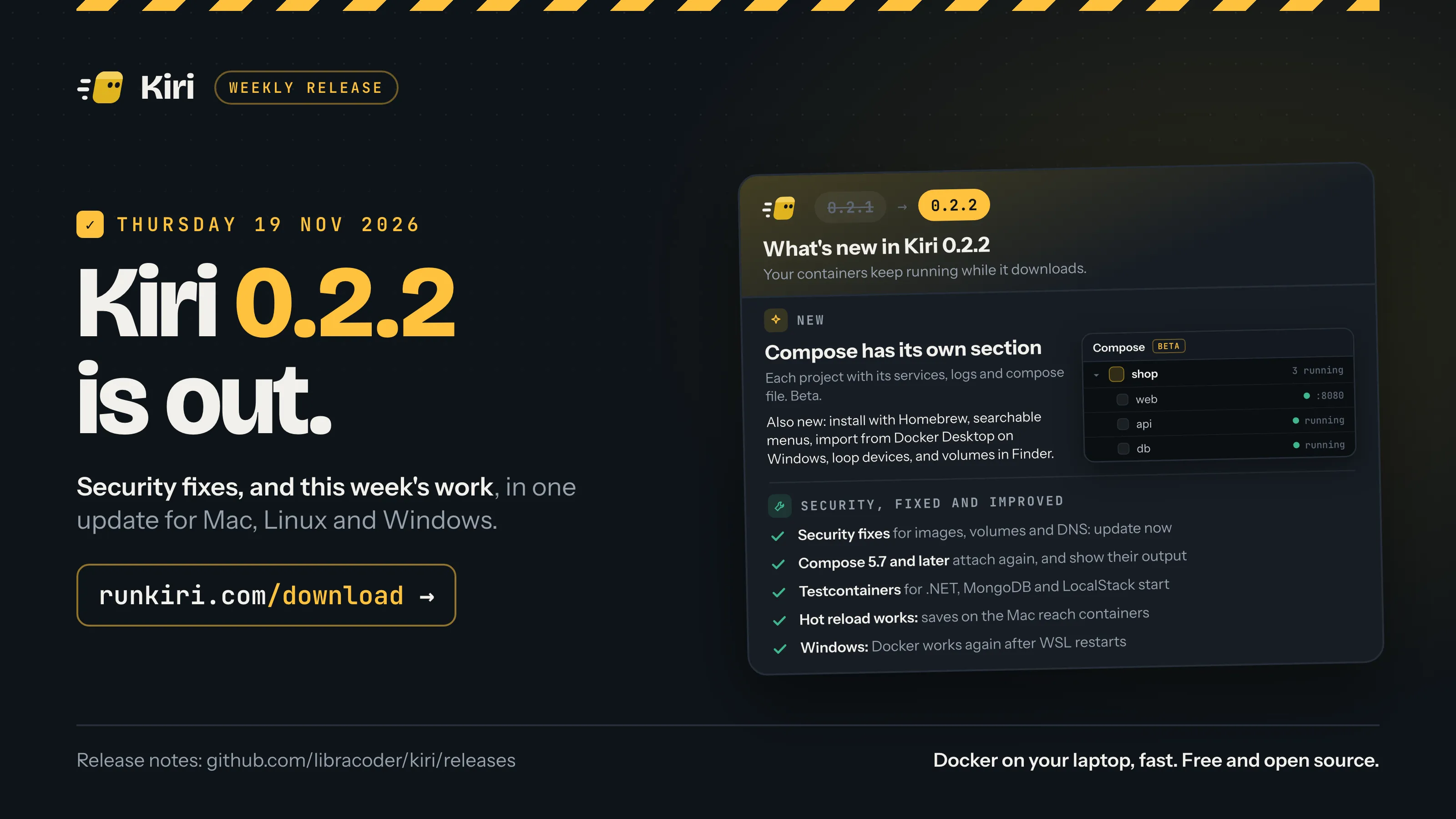
Kiri 0.2.2 is out today, Thursday 19 November 2026, for Mac, Windows and Linux. It is a security release, so update now. It also gives Compose its own section in the window, adds a Homebrew tap, and makes every menu in the window searchable.
On a Mac and on Windows, Kiri offers the update in its window. On Linux, download the new package and install it over the one you have. New to Kiri? Download it, then see Use your Docker commands with Kiri.
Security fixes: update now
This release fixes several security problems. Most were reported to us privately, and each is fixed in 0.2.2 on every system it affected. We publish the details as security advisories on Kiri’s repository.
- An image can no longer reach files on your Mac that you didn’t share. Mount settings that come from an image are checked more strictly, and the Linux VM is no longer given your whole disk (see below).
- A container’s working directory always stays inside the container, and so does the folder Kiri makes for it when it is missing.
- A new volume is filled without following links inside it, so a container that shares the volume can’t send the copy somewhere else.
- A malformed DNS query from a container can no longer stop the engine.
- Mac: containers can’t reach other containers through the domain router (
*.kiri.localhost). Its “not found” page lists your running containers only when asked by one of your own machine’s names. - Seccomp profiles are applied, and the default filter matches Docker’s. Seccomp limits which kernel calls a container may make; A container is not a sandbox explains where it fits.
- Linux and WSL: containers are firewalled on kernels before 6.3, and reach the internet there.
- An
--initcontainer’s first process keeps none of the engine’s open files.
Compose has its own section
Compose projects used to sit in the Containers list as a group. In 0.2.2 they have their own section in the sidebar, marked Beta.
Each project is one row with its name and how many of its containers are running, and its containers sit under it. A running service that publishes a port shows its local name, and a click opens it in your browser.
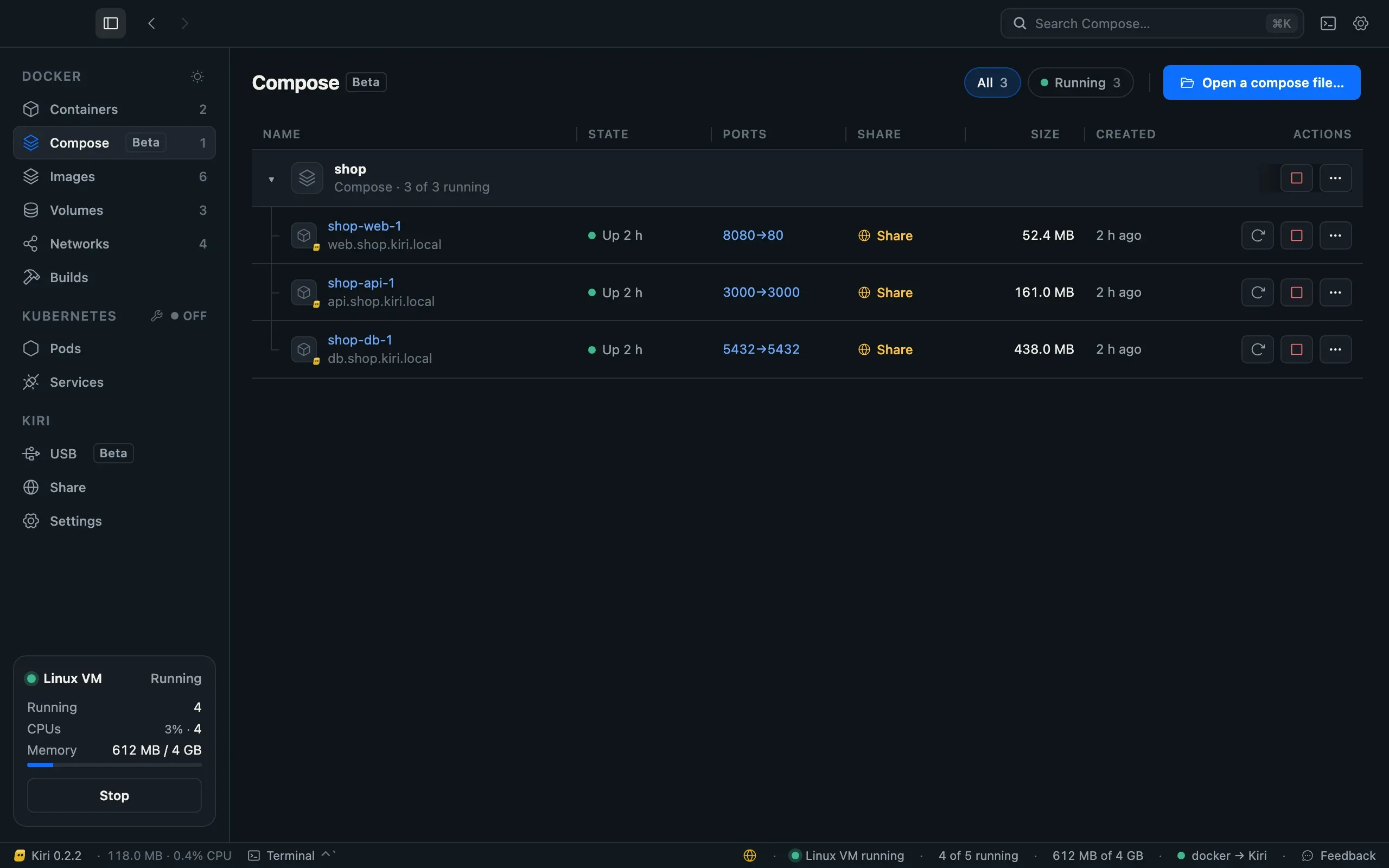
Click a project’s name for its own page:
- Structure: a map of its services and what each depends on.
- Services: its containers, with the same buttons as in the list.
- Compose file: the file in an editor. Before anything runs, it lists what an edit will do to each service, such as “db: recreate, image postgres:16 → postgres:17”. Apply then runs
docker compose up -d. Secrets in the file stay hidden. - Logs: every service’s output in one place.
Open a compose file… adds a project from its file before it has ever run. Remove project stops and removes a project’s containers and its network; the compose file and named volumes stay.
Nothing changes on the command line: docker compose works as before, and the section shows what it does. Compose in the docs has every detail, and Docker Compose on a Mac without Docker Desktop is the place to start if you are moving a project over.
Install with Homebrew
Kiri has its own Homebrew tap. One command adds it and installs the app:
brew install --cask libracoder/kiri/kiriIt needs macOS 14 or later and picks the right build for your Mac’s chip, Apple silicon or Intel. Open Kiri once from Applications and it sets itself up. After that Kiri updates itself, so you don’t need brew upgrade for it. Install covers uninstalling too.
Search every menu
Every menu in Kiri’s window is now the same dropdown, on Mac, Windows and Linux. Open one and type to filter it: the font menus in Settings › Appearance, the log level on a container’s Logs tab, the steps of a build. The arrow keys move, Enter picks and Escape closes. A menu with more than 8 choices shows a search box.
Long lists are quick too: a font menu with 1,000 fonts opens in about 4 milliseconds.
Windows: import from Docker Desktop
On Windows, Settings → Import lists what Docker Desktop has and brings over the images, volumes and containers you tick. What Kiri already has is marked In Kiri and skipped. Docker Desktop has to be running while it copies, and nothing in it is changed or removed. Containers arrive stopped, so you choose what to start.
On a Mac, kiri import does the same from the command line. Moving from Docker Desktop has the steps, and Docker on Windows without Docker Desktop explains how Kiri runs on Windows.
Loop devices, and volumes in Finder
- Loop devices work in containers. A privileged container can attach a disk image with
losetupand mount it, which tools that build disk images need. See Disk images and loop devices. - Container files in Finder show volumes and bind mounts. A running container’s folder shows it as the container sees it, with its volumes and bind mounts in place. See Container files in Finder.
Fixed and improved
- Compose 5.7 and later attach again:
docker compose upanddocker compose logs -fshow output. - Testcontainers for .NET, MongoDB and LocalStack start. Testcontainers arrived in 0.2.1; these three now work as well.
- Hot reload works in bind-mounted folders. Saves made on the Mac reach file watchers in containers.
alwaysandunless-stoppedcontainers come back after the VM crashes, and Kiri restarts on the new version after every update.- A published TCP connection stays open however long it is quiet.
- Pulling several images at once can no longer damage the image list, and a damaged one is repaired.
- Images with hard links to absolute symlinks unpack, such as Supabase’s PostgreSQL image.
- Image update checkers work: Watchtower and Arcane can ask Kiri whether an image has a newer version.
- Windows: Docker works again after WSL restarts, and launching Kiri at login no longer undoes a Stop.
- Mac: a first-launch step that fails no longer closes Kiri. It waits in a setup checklist with its error and Try again, and the window works meanwhile.
- Mac: Cmd C, Cmd V, Cmd X, Cmd A and Cmd Z work in the window’s text fields.
What’s new in the docs has the complete list for 0.2.2, and so do the release notes.
Get Kiri 0.2.2
- Already have Kiri on a Mac or Windows? The window offers the update. Take it today.
- On Linux? Download the new
.debor.rpmfrom runkiri.com/download and install it over the one you have. A running engine restarts on the new version. - New to Kiri? Get it from runkiri.com/download, or with Homebrew on a Mac.