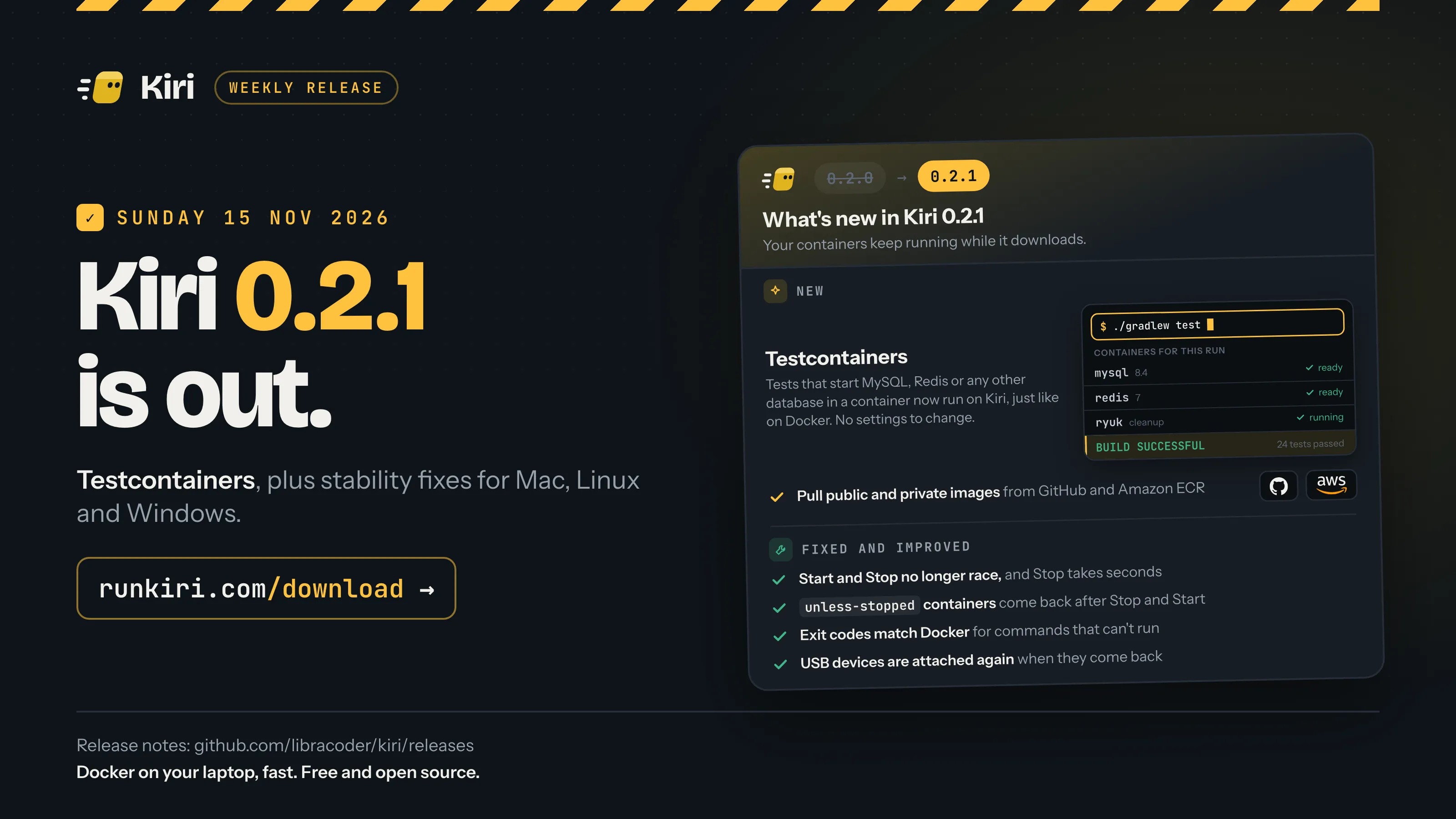
Kiri 0.2.1 is out today, Sunday 15 November 2026, for Mac, Windows and Linux. Testcontainers now works on Kiri as it does on Docker, you can pull public and private images from GitHub and Amazon ECR, and a round of stability fixes comes with it.
On a Mac and on Windows, Kiri offers the update in its window. New to Kiri? Download it, then see Use your Docker commands with Kiri.
Testcontainers
Testcontainers starts throwaway containers for your tests, such as a MySQL or Redis, and removes them when the tests end. It has libraries for Java, Go, Node, Python, .NET and more. In 0.2.1 it runs against Kiri as it does against Docker.
Before, two things got in the way. Testcontainers checks the engine’s Docker version before it starts, and Kiri didn’t report one, so the check failed unless you turned it off with checks.disable. And some images, MySQL among them, didn’t run their own start command when the client sent none, so the database never became ready and the test timed out.
Now Kiri reports Docker Engine 27.5.1, the Docker release with the same API, and an image runs its own command when the client sends none. Leave the version check and Ryuk switched on. Ryuk is Testcontainers’ clean-up container: it mounts the engine’s socket so it can remove whatever the tests left behind, and Kiri hands it the same engine, whatever name the socket has.
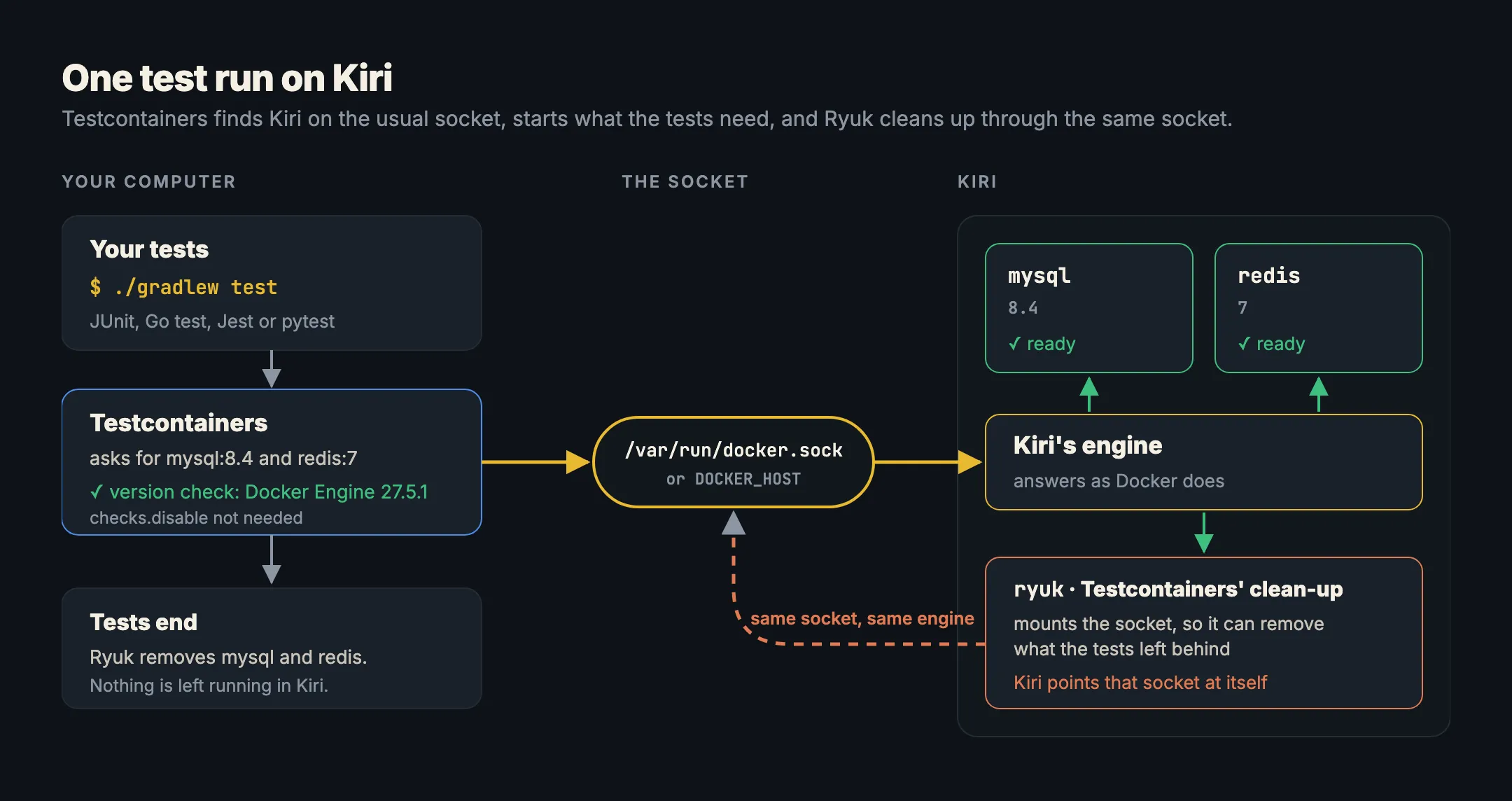
Most Testcontainers libraries don’t read docker contexts. They look for DOCKER_HOST, then docker.host in ~/.testcontainers.properties, then Docker’s default socket or pipe. Kiri takes the default when no other engine has it, so on most computers there’s nothing to set:
- Mac:
/var/run/docker.sock, linked to Kiri’s socket once you enter your password for it. Until then, Kiri writesdocker.hostinto~/.testcontainers.properties, unless you already have that file. - Linux:
/var/run/docker.sock, linked to Kiri’s socket while nothing else is there. You need to be in thekirigroup. - Windows:
\\.\pipe\docker_engine, Docker’s own pipe, which Kiri serves while Docker Desktop, Rancher Desktop ordockerdaren’t running.
If another engine has the default, point your tests at Kiri before you run them:
export DOCKER_HOST=unix://$HOME/.kiri/run/docker.sock   # Mac
export DOCKER_HOST=unix:///run/kiri/docker.sock         # Linux
$env:DOCKER_HOST = "npipe:////./pipe/kiri" # Windows, PowerShellPull public and private images from GitHub and Amazon ECR
The Pull box in Kiri’s window searched only Docker Hub. In 0.2.1, pick GitHub (ghcr.io) or Amazon ECR in Pull from and pull from there too. Public images, such as ghcr.io/home-assistant/home-assistant or public.ecr.aws/nginx/nginx, pull straight away. Private ones need you to sign in first, and Kiri does that through each registry’s own page, so you never type a password or paste a token into Kiri:
- GitHub: Kiri uses the GitHub CLI’s sign-in, asking only to read packages (
gh auth refresh -s read:packages, orgh auth loginif you aren’t signed in). Then it checks the token and saves it as a Docker login does. - Amazon ECR: pick one of your AWS profiles. Kiri gets a login for that profile’s own registry,
<account>.dkr.ecr.<region>.amazonaws.com, withaws ecr get-login-password. If the profile’s SSO session has expired,aws sso loginopens AWS’s page to sign in again.
After that, docker pull and docker run work with those images from the command line too. If you’re new to registries, What is a container registry? explains how they work.
Copy a container’s logs
A container’s Logs tab now lets you select text and copy it, so you can paste an error into an issue or a chat without going to the terminal for docker logs.
USB devices that come back are attached again
USB devices in containers arrived in 0.2.0. Now, when an attached device drops off, for example because it’s unplugged or resets, Kiri attaches it again when it comes back. While Kiri waits for it, it shows as waiting, in the USB view and in kiri usb ls. Stop waiting lets it go.
Stability fixes
- Start and Stop no longer race. Stopping Kiri right after starting it stops every container, and Stop with many containers takes seconds, not a minute or more.
unless-stoppedandalwayscontainers come back after Kiri is stopped and started again.- A command that can’t run exits as on Docker, with code 126, 127 or 255 and Docker’s message.
- Mac:
/etcpaths work in bind mounts, and a linked folder follows its link, also after you point the link somewhere else and restart. - Disconnecting a container from its networks works in any order, and the network can be removed afterwards.
- A stop wins over a pending restart, and Docker hears that a container has stopped only once it really has.
- The Linux VM card shows the engine’s real state and fits the sidebar in every language.
- “Port already allocated” names the program that has the port.
- Linux: stopping the engine removes its bridges and firewall rules.
- The terminal keeps the size you give it, and
kirion the PATH finds the VM’s kernel. - Kiri in 38 languages, up from 15, with Arabic, its first right-to-left language, and Amharic, its first Ethiopian one. Pick yours from a short, searchable list on first start or in Settings › Appearance. A language picked in Settings changes the whole window at once.
What’s new has the complete list for 0.2.1, and Command line and CI has the Testcontainers details.
Get Kiri 0.2.1
- Already have Kiri on a Mac or Windows? The window offers the update.
- New to Kiri, or on Linux? Get it from runkiri.com/download.
Then run your test suite and watch Testcontainers start its databases on Kiri.