Running several coding agents at once has become normal: one fixing a bug, one writing tests, one trying a refactor. The standard advice is to give each its own git worktree, a second checkout of the same repository on its own branch, in its own folder.
It’s good advice. Without it, three agents edit the same files and trip over each other’s half-finished changes. But a worktree is often described as isolating the agents, and it doesn’t. It isolates their code.
What a worktree is
git worktree add ../fix-login fix-login creates a new folder with the fix-login branch checked out, sharing the repository’s history with your main checkout. Each agent works in its own folder, and its changes stay on its own branch until you merge them.
That is the whole feature. Git has no say over what a process running in that folder can do.
Everything else is shared
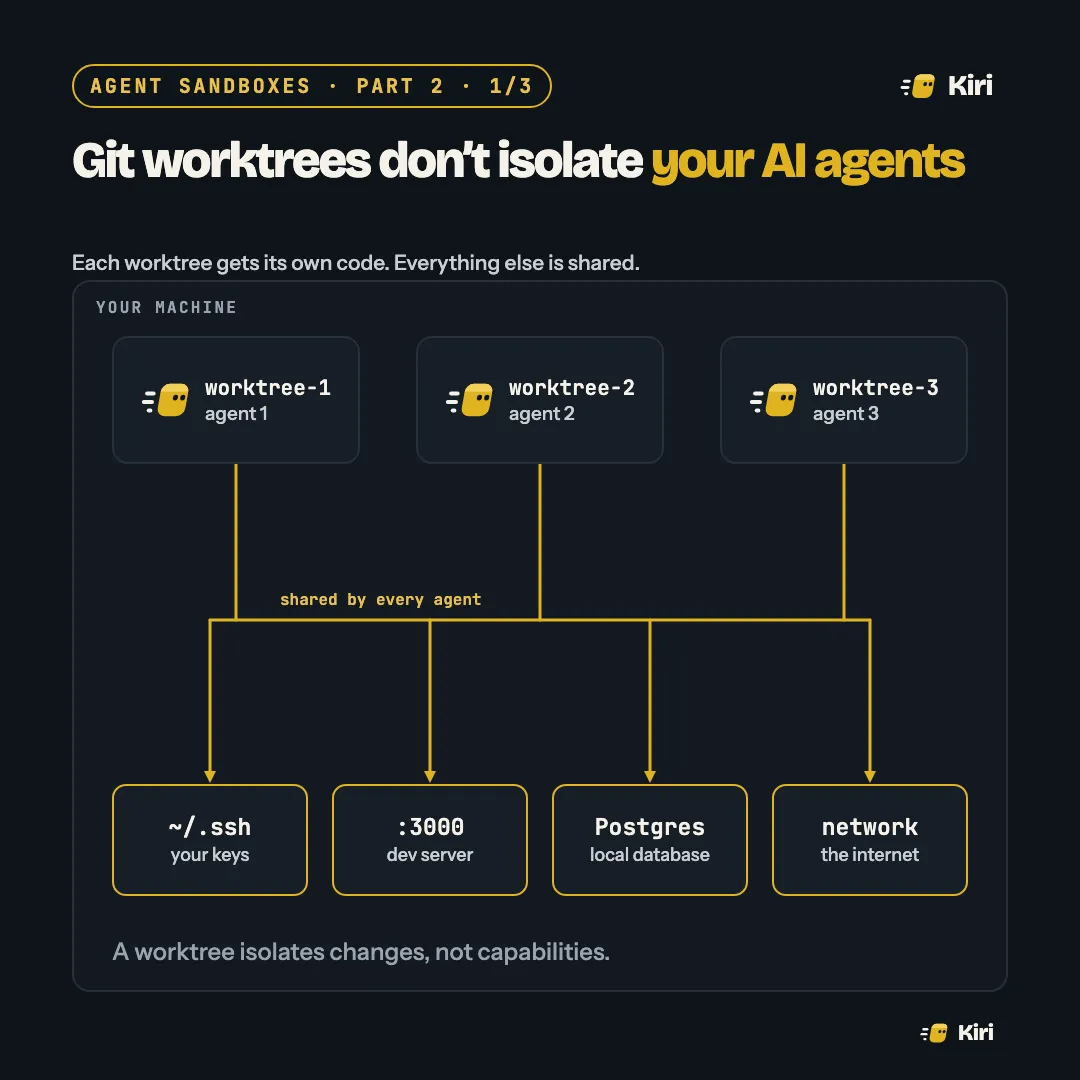
Look again at the picture at the top. Three agents in three worktrees, and below them everything they have in common:
- Your home directory and keys. Every agent runs as you, so every agent can read
~/.ssh,~/.awsand the.envin the main checkout one folder up. Part 1 showed where that leads. - Ports and services. Two agents both run
npm run dev. One gets port 3000; the other fails, or worse, tests against the first one’s server and reports a pass. - The local database. One agent runs migrations for its branch. Another, on a branch without those migrations, now runs against a schema it doesn’t expect. One agent’s test run truncates a table the other is reading.
- The network. Every agent can reach anything you can.
A worktree isolates changes, not capabilities.
What each one isolates
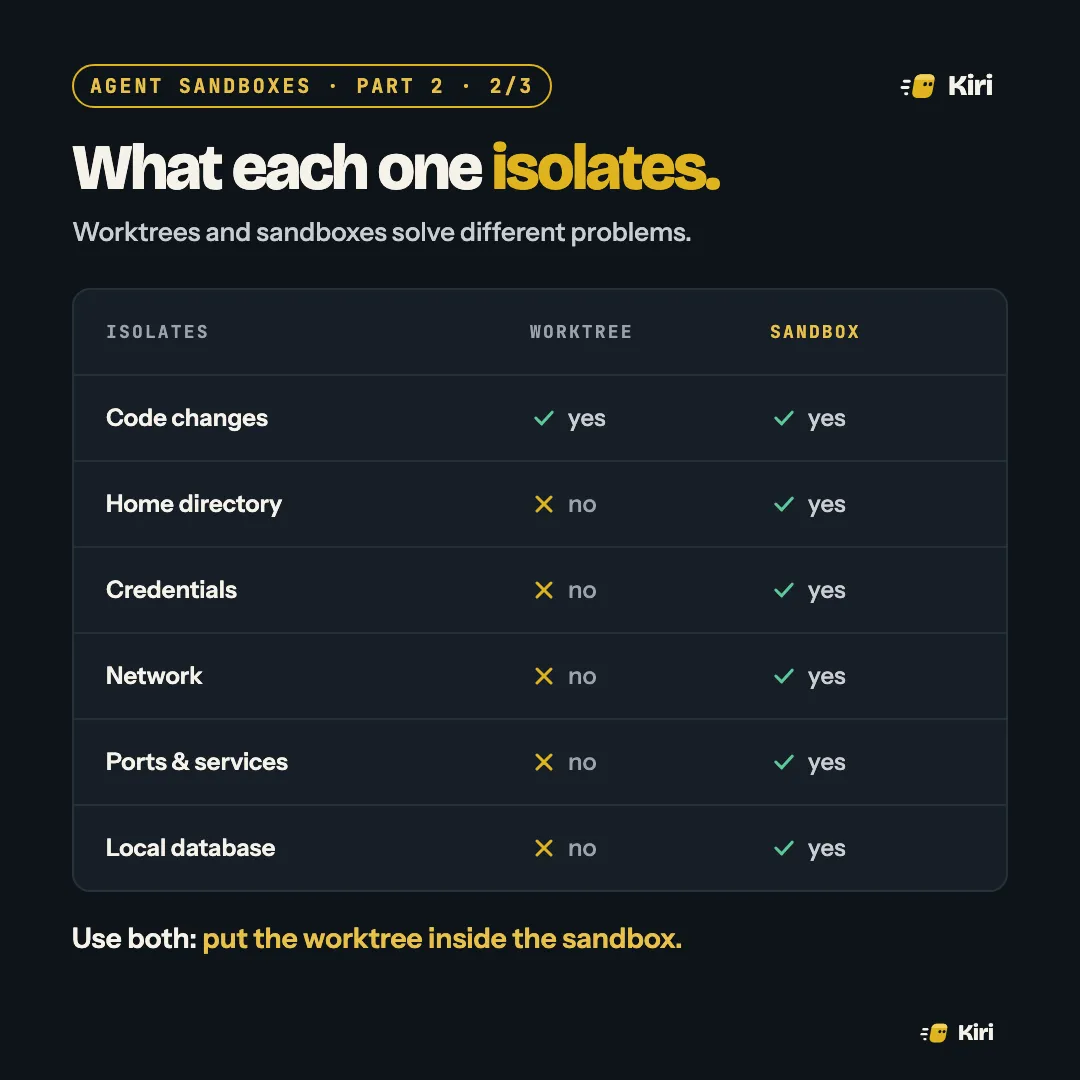
They answer different questions. A worktree answers “whose changes are these?”. A sandbox answers “what is this process allowed to touch?”. You need both answers.
Both: worktree in sandbox
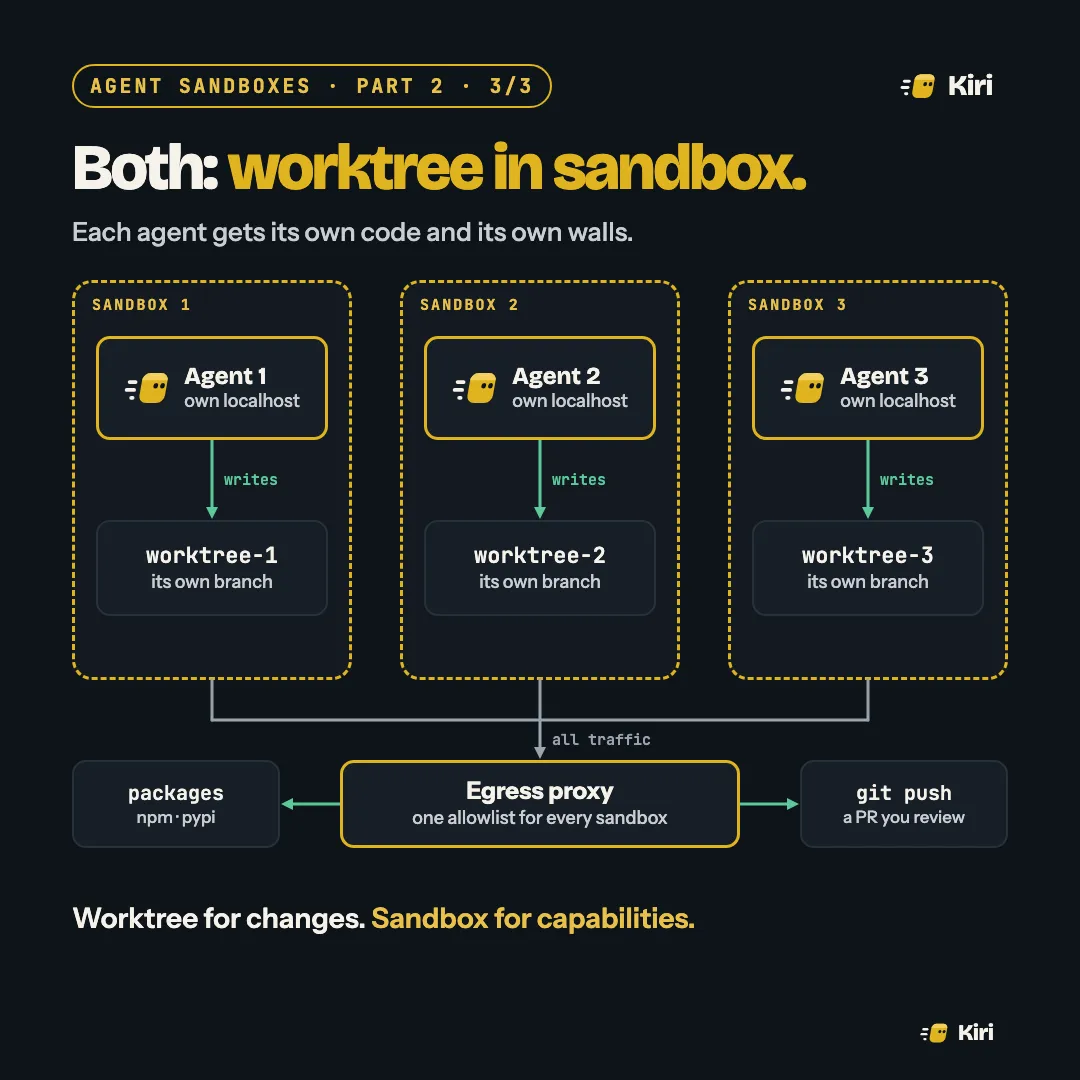
Put each worktree inside its own sandbox:
- Own code. The worktree is mounted in, and it’s the only thing the agent can write.
- Own localhost. Each sandbox has its own network namespace, so every agent can run its dev server on port 3000 without colliding.
- Own services. A database per sandbox, started fresh, so migrations and test data never leak between branches.
- One way out. All sandboxes go through the same egress proxy and the same allowlist, and the work leaves as a
git pushto a branch, as a pull request you review.
Worktree for changes. Sandbox for capabilities.
Try this today
- Count what your agents share. For each one, ask: could it read the others’ files, use their ports, or change their database?
- Give each agent its own port range and database name as a first step, even before a full sandbox.
- Keep secrets out of the repository folder, because a worktree sits right next to the main checkout and its
.env.
Next, on Friday: containers, gVisor and microVMs. How strong each kind of sandbox really is, and what separates them.