Ask a coding agent to containerise an app and you get a Dockerfile in seconds. It builds. It runs. In review, it’s easy to skim: it’s eight lines, and the app works.
The trouble is where models learned to write Dockerfiles: tutorials and quick-start READMEs, written to get something running, not to ship. The same few shortcuts turn up again and again.
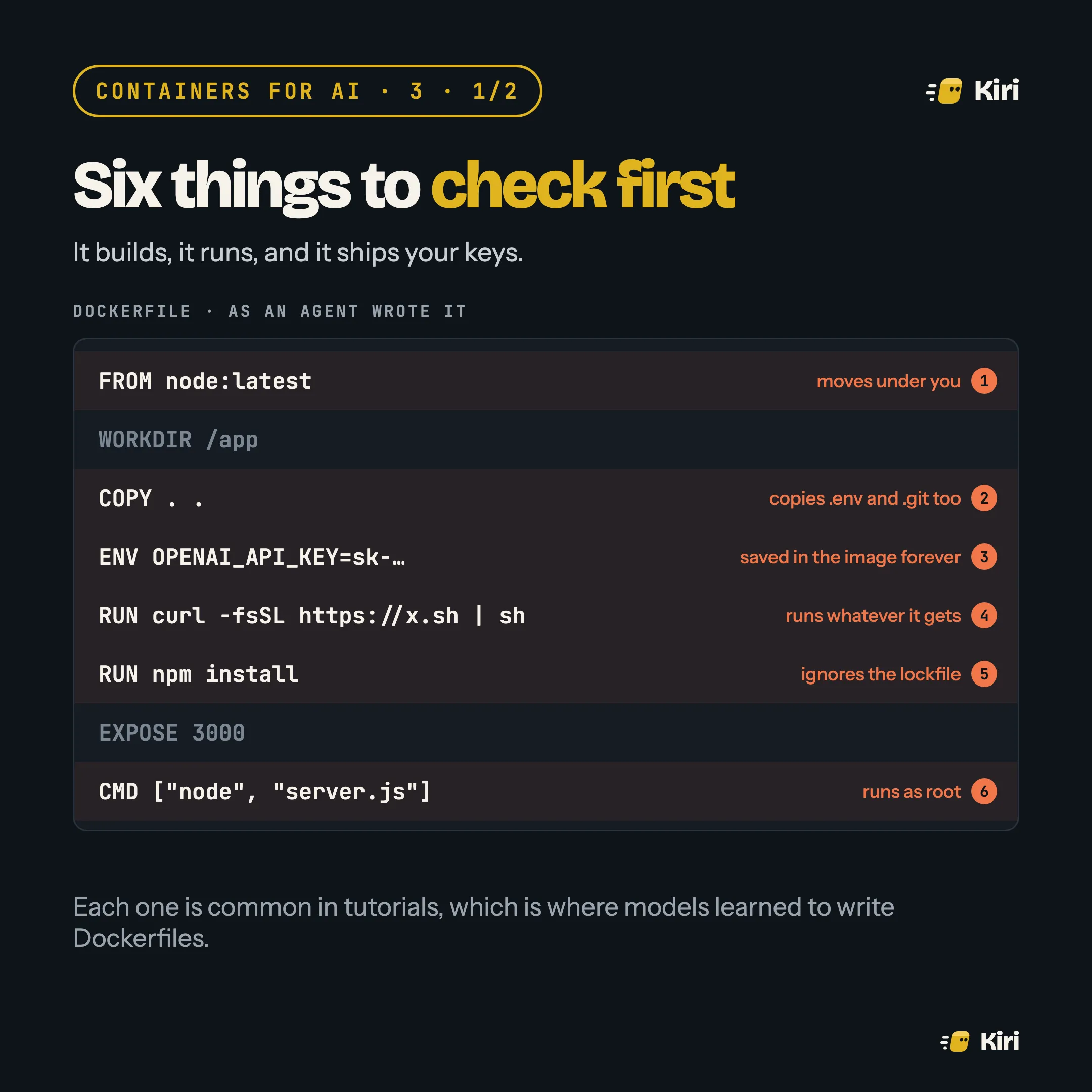
The six checks
1. Is the base image pinned? node:latest today is a different image next month. Pin a version and its digest: FROM node:22-slim@sha256:…. docker buildx imagetools inspect node:22-slim prints the digest. Dependabot or Renovate can keep it current, through pull requests you review.
2. What does COPY copy? COPY . . takes everything in the folder, including .env, .git and whatever the agent left lying around. Copy named paths, and add a .dockerignore:
.env*
.git
node_modules
*.pem
3. Are there secrets in ENV or ARG? Both are saved in the image. Anyone who can pull it can read them with docker history or docker inspect, even if a later step “removes” them. Pass runtime secrets when the container starts (--env-file, or your platform’s secrets). For build-time secrets, use a secret mount, which never lands in a layer:
RUN --mount=type=secret,id=npm_token \
    NPM_TOKEN=$(cat /run/secrets/npm_token) npm ci
4. Is anything piped to a shell? curl … | sh runs whatever that URL serves on the day you build. Install from a package manager, or download a pinned version and check its checksum.
5. Does the install use the lockfile? npm install can resolve newer versions than the ones you tested. npm ci installs exactly what package-lock.json says, and --ignore-scripts stops install scripts, a favourite place to hide malware. For Python, pip install --require-hashes -r requirements.txt does the same job.
6. Who does it run as? With no USER line, the app runs as root inside the container. Add USER with a non-root user, or start from an image that already has one.
After review
Put together, the fixes usually mean two stages: one that builds with all the tools it needs, and a small final image that has only the app. No shell, no package manager, nothing for an attacker to work with.
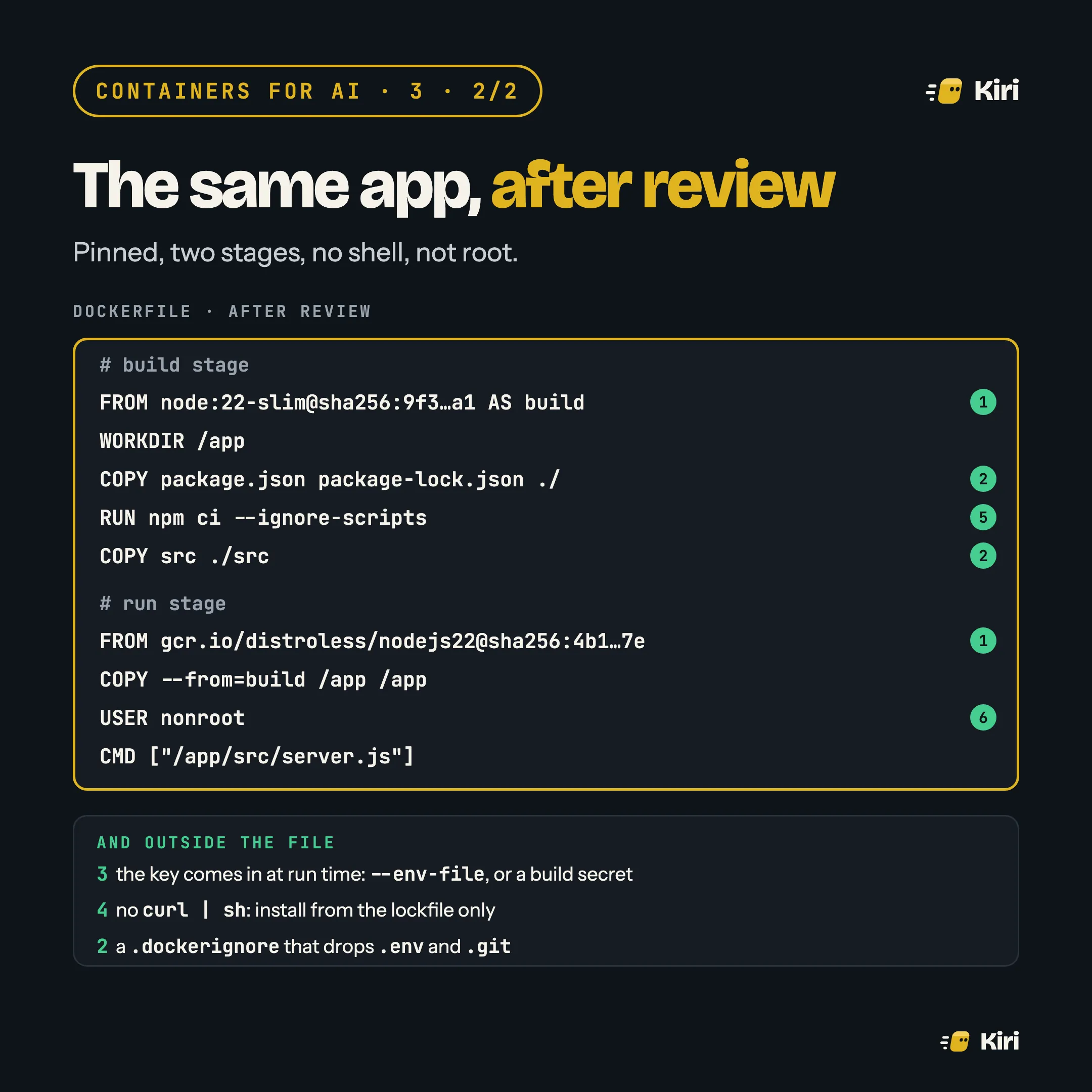
You don’t have to build minimal base images yourself. Distroless, Chainguard and Docker Hardened Images (free and open source since December 2025) all ship images without a shell or package manager, with a software bill of materials, and with non-root variants.
Make the agent get it right
Reviewing the same six things on every pull request gets old. Two cheaper fixes:
- Tell the agent. Add the six rules to your
AGENTS.mdorCLAUDE.md, the file the agent reads in every session. It will follow them far more often than it guesses them. - Check it in CI. hadolint flags most of these in the Dockerfile itself,
latesttags and missing pins included. Trivy or Grype then scans the built image for known vulnerabilities. A failing check catches what a tired reviewer won’t.