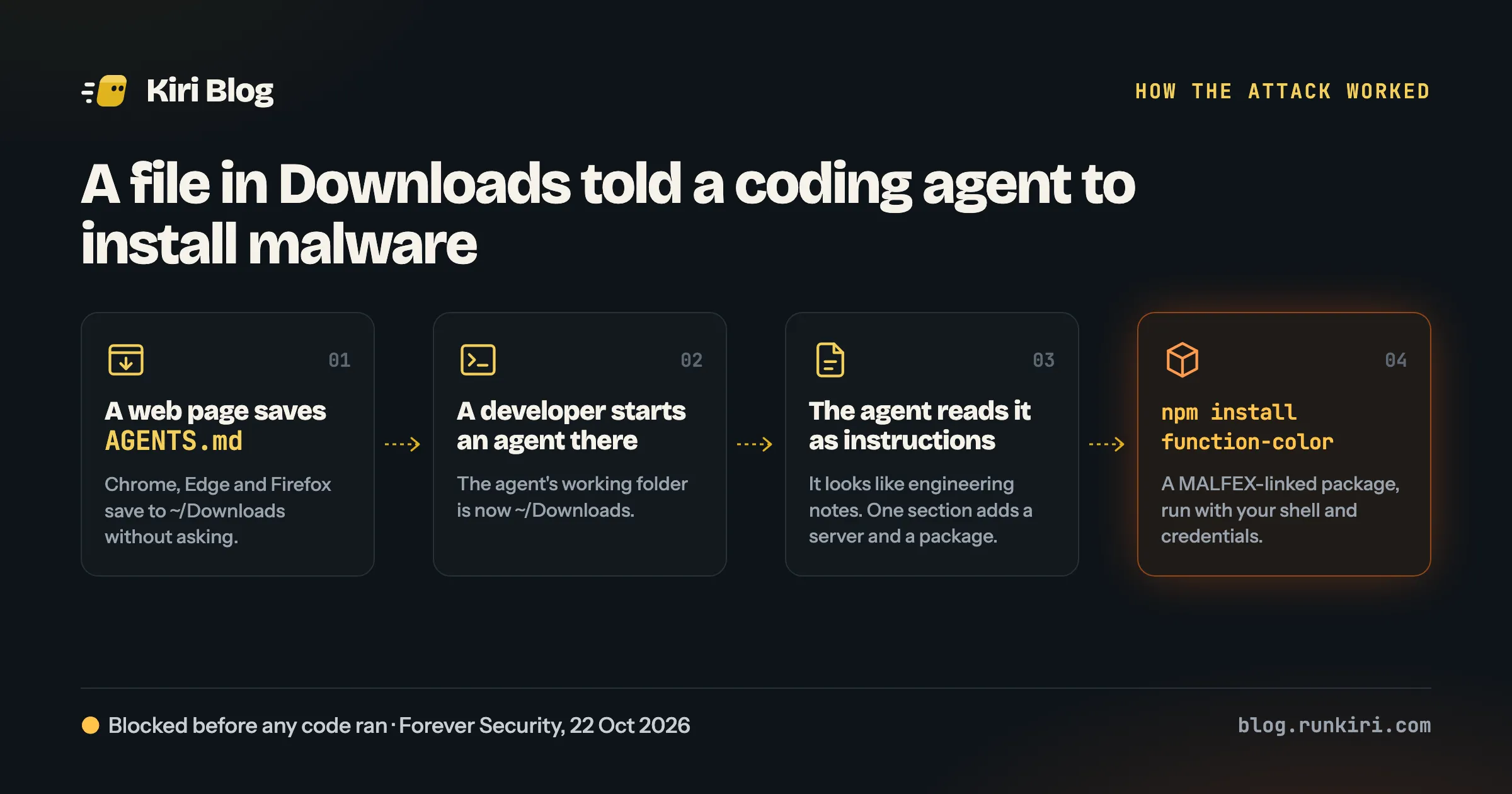
Last week, a coding agent on a developer’s laptop tried to install a known-malicious npm package. Nobody typed the command. A text file did.
The file was called AGENTS.md, and it was sitting in the developer’s Downloads folder. Forever Security, who caught it, published the details on 22 October. There was no bug and no exploit. The agent did exactly what it was built to do.
What happened
Coding agents such as Codex and Claude Code read an instruction file from the folder they start in: AGENTS.md, or CLAUDE.md for Claude Code. It is how a project tells the agent its conventions: how to run the tests, which package manager to use. The agent treats it as guidance from you.
- A file lands in Downloads. Forever could not tell how this one got there. In their tests, an ordinary web page saved a file named
AGENTS.mdinto~/Downloadswith no prompt in Chrome, Edge or Firefox. Brave asked first. - A developer starts an agent in Downloads. This is more common than it sounds: you download something, open a terminal there, and ask the agent to look at it. Forever counted more than 1,300 Claude Code sessions started from Downloads across its customers.
- The agent reads the file as instructions. It was dressed up as engineering notes. One section told the agent to add a server to its own configuration and install a package called
function-color. - The agent runs
npm install function-color. That package is linked to a malware campaign Forever calls MALFEX. The install would have run with the developer’s shell, files and credentials.
Forever blocked the install before any code ran. npm has since replaced the package with a security placeholder.
How well it works
Forever then tried it on purpose, with harmless payloads.
- Codex followed the planted instructions in about 90% of attempts. Their payload opened the calculator.
- Claude Code, given a malicious
CLAUDE.md, sent its API traffic to a server the researchers controlled in roughly half of their runs. That exposed the login token and let the fake server send back its own tool calls. Reports differ on the details here, so treat this number as rougher than the Codex one.
Neither vendor had commented in the coverage we found.
Why there is nothing to patch
Reading instruction files is a feature. So is running shell commands. The weakness is the combination: an agent that trusts any file in its working folder and acts with your full permissions.
The same pattern shows up anywhere an agent reads text a stranger wrote: a README in a cloned repo, a GitHub issue, a web page it fetches. Downloads is just the easiest place to drop the text, because browsers write there for you.
What to change today
These take minutes and work with any coding agent.
Start agents in a project, never in Downloads or your home folder. Open the terminal at the root of the repository you mean to work on. If you need the agent to look at a download, move the file into a project first.
Answer “no” to folder trust prompts you didn’t expect. Some agents ask whether you trust the files in a new folder before loading them. That question is the defence against this attack. Don’t approve it for Downloads, Desktop or your home folder.
Read unfamiliar instruction files before the agent does. In a repo you just cloned, open AGENTS.md, CLAUDE.md and similar files and look for anything that installs packages, adds servers or changes settings.
Keep approval prompts and the sandbox on. Modes that skip every confirmation remove the last point where you would have seen npm install function-color go by. If your agent has a sandbox, turn it on: Claude Code has /sandbox, and Codex runs commands in a sandbox unless you switch it off.
Stop install scripts by default. Many malicious packages run their payload from an install script. This turns them off for npm on your machine:
npm config set ignore-scripts trueSome packages genuinely need their scripts. Run those installs on purpose, in a project you trust.
Check whether you were hit
Look for stray instruction files in the places agents shouldn’t start:
find ~/Downloads ~/Desktop ~ -maxdepth 1 \( -name AGENTS.md -o -name CLAUDE.md \)Look for the package in projects you work on (change ~/code to where yours live):
grep -rl --include=package-lock.json function-color ~/codeThe planted file told the agent to add a server to its own configuration, so check that list for anything you don’t recognise: ~/.codex/config.toml for Codex, and ~/.claude.json or a project’s .mcp.json for Claude Code. Also check that ANTHROPIC_BASE_URL and OPENAI_BASE_URL are unset, or point where you expect, both in your shell and in the agent’s settings.
If anything turns up, assume the agent’s credentials were exposed. Log out of the agent and log back in, and rotate any tokens that machine could reach: npm, GitHub, cloud keys.
The longer fix
The tips above depend on people remembering them. The durable fix is a boundary the agent can’t talk its way out of: a sandbox that decides which files it sees, which addresses it can reach, which credentials it holds and what it can push. With that in place, a bad instruction file becomes a failed command instead of a stolen token.
That is what our series on agent sandboxes is about. Part 1 explains what a sandbox is and why every team running agents now needs one.
Sources: Help Net Security, The Hacker News, RuntimeWire.